WebTop-5: Use resource calendars
Resource calendars let you manage exclusive bookings for company assets such as cars, meeting rooms, and shared equipment.
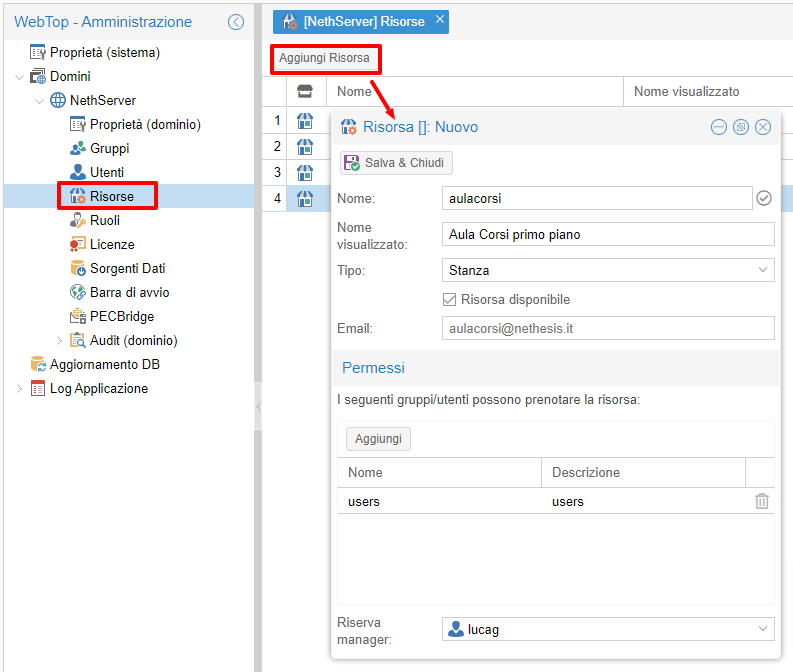
To create a resource, first create a dedicated user in NethServer, then add the resource from the WebTop admin panel:
- Go to Domains → NethServer → Resources.
- Click Add resource.
- Fill in the fields so the resource name matches the provider user.
- Choose the type, permissions, and optional manager.
- Save and close.
Users with permission can book a resource by adding it as an attendee to a calendar event.
Use Show availability to see occupied and free time slots. You can also adjust the slot resolution.
Only the event owner can modify a booking, unless the resource has a manager assigned.
To make a resource temporarily unavailable, clear its active flag in the admin panel.