WebTop-5: Use the block sender function
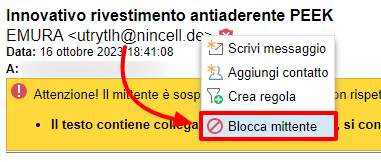
Right-click the sender address of an open message and select Block sender.
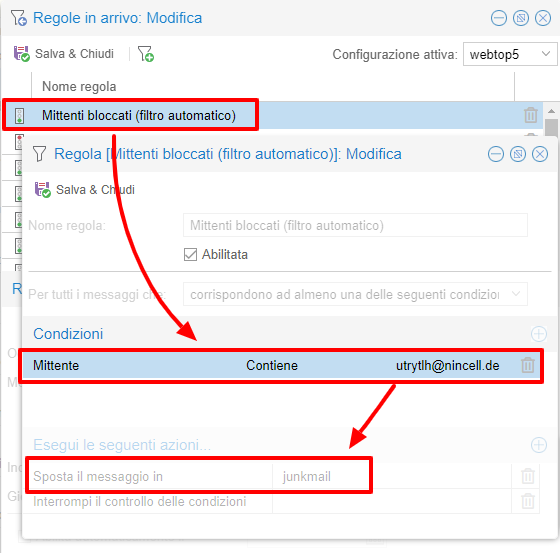
WebTop creates a personal inbox filter that moves all future messages from that sender to Junk mail.
note
These rules apply only to the current user. You cannot create a block rule from messages that belong to shared accounts.
You can get the same result with the Junk button. WebTop asks whether you want to block the sender or only move the message.
Choose Yes, block to create the rule and move the message. Choose No, move only to move the message without creating a rule.